How to Make Custom Thank You Cards for Your Online Store (2026)
Quick answer: A custom thank-you card for an online store is a printed insert that goes into every parcel. Make one in five steps: decide the single action you want the card to drive, write a short message, design it at its final print size with bleed, print a modest first run on thick card, and have your fulfillment partner add it to every order or to specific products. Use it to bring customers back with a next-order code and to ask every customer, not only happy ones, for an honest review. In the US, rewarding only positive reviews is banned by the FTC.
What the card is actually for
Ads reach people who might buy. A package insert reaches every person who already did, at the moment they open the parcel. That makes it one of the few pieces of marketing you control completely, and it costs very little per order.
A good card does one or more of three jobs:
- Makes the store feel human. A short thank-you in your own voice turns "some website" into a brand.
- Helps the customer use the product. Care instructions, a setup tip, or a QR code to a short how-to video.
- Gives a reason to come back. A code for the next order, a restock reminder or an invitation to follow you.
Pick one main action per card. A card that asks people to follow, review, refer a friend and join a list at once usually gets none of them.
What to put on it: a checklist
- Your logo and store name, matching your site and packaging.
- A thank-you of one to three sentences. If it's signed, sign it with a real name.
- One clear call to action, with a code or QR code if it needs one.
- How to get help: an email address or a support page, so problems come to you first.
- Your website address.
Leave out prices, promises you can't keep, and anything that offers a reward for a good review (more on that below).
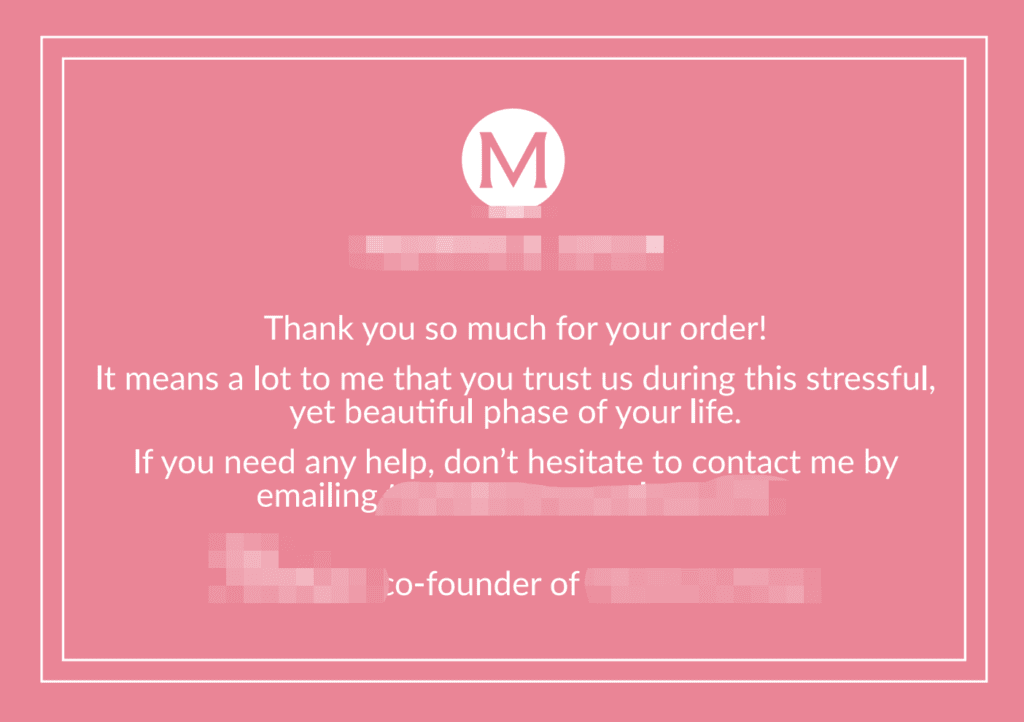
Three message templates
Warm and short: "Thank you for your order. We packed it with care and hope you love it. Anything not right? Email [email protected] and we'll sort it out."
Product help: "Getting started: 1. Charge it fully before first use. 2. Hold the button for 3 seconds. 3. Scan the code for a one-minute setup video."
Come back: "Thanks for being one of our first customers. Here's a code for your next order: [CODE]. Valid until [date]."
Replace the details with your own, and keep the tone the same as your product pages.
Design and print specs
| Item | What to use |
|---|---|
| Size | Common choices: 4 × 6 in (postcard), A6 (105 × 148 mm) or business card (3.5 × 2 in). It must fit flat in your smallest mailer or box. |
| Bleed | Extend the background 0.125 in (3 mm) past every edge, and keep text at least that far inside the trim line. |
| Resolution and color | 300 dpi images, designed in CMYK, exported as a print-ready PDF with fonts embedded. |
| Paper | Thick card stock so it doesn't crease in a mailer. Matte or uncoated if you want to write on it by hand. |
| Sides | Front for the brand and thank-you, back for the action and help details. |
| QR codes | Print large enough to scan easily, test the printed proof with two phones, and point it at a page you control. |
Any design tool works, from Canva to Illustrator. If you don't design, a template plus your logo and brand colors is enough. Clean and readable beats clever.
Three ways to print
- Your own printer. Fine for a test run of a few dozen cards or for handwritten notes on early orders. It doesn't scale.
- A print shop near you. Good quality and quick. But if your stock sits in a warehouse in China, you then have to send the cards there, which costs time and freight.
- Printed by your fulfillment partner. The cards are made and stored next to your stock, so there is nothing to ship around. This is the simplest option once a warehouse packs your orders.
Whichever you choose, start with a modest run. You will want to change the wording once you see what customers respond to.
Getting a card into every parcel
- Set the rule. Every order, or only orders containing certain products. For multi-item orders, one card per parcel, not one per item.
- Set the placement. On top of the product inside a box, so it's the first thing seen. In a poly mailer, behind the product so it doesn't bend.
- Version your cards. Put a small version code in a corner (v1, v2) so you know which design is going out.
- Watch stock levels. Reorder cards before they run out, and tell your warehouse when to switch to a new version and what to do with the old ones.
- Swap for seasons sparingly. A holiday version is nice; five versions in rotation are a packing error waiting to happen.
A card is often the first step in branding a store. Mailers and boxes are covered in our custom packaging guide, and where cards fit in a wider plan is in the four stages of branded dropshipping.
Using cards for repeat orders and reviews, within the rules
Repeat orders
- Use a code that only appears on the card. Then your store's discount report shows exactly how many orders the card brought back. Measure it instead of guessing.
- Remind people when consumables run out. For products that get used up, a line like "Running low? Reorder at yourstore.com" works better than a generic thank-you.
- Test one change at a time. Change the offer or the wording between card versions, not both, so you can tell what made the difference.
Reviews
- Asking is fine; paying for praise is not. The FTC's Consumer Review Rule, in force since October 21, 2024, bans offering incentives conditioned, openly or by implication, on a review being positive (or negative). "Tell us what you think" printed on every card is fine. "$5 off your next order for a 5-star review" is not.
- Ask everyone, not just happy customers. Only steering satisfied buyers to review creates a misleading picture and is exactly what review rules target.
- TikTok Shop has its own rules. Its review policy bans offering any reward for a review outside its official incentive feature, and its US packaging requirements, updated in September 2026, prohibit inserts that ask for or incentivize positive reviews, as well as unauthorized promotional materials. For TikTok Shop orders, check the current Seller Center rules before adding any card.
How PackQuay adds cards to your orders
We design and print card inserts in almost any size, with turnaround from 2 days, and store them in our Xinxiang warehouse next to your stock. Tell your account manager on WhatsApp which orders get which card, and every parcel is packed that way. Cards are quoted per design and quantity; see our packaging and branding page and pricing. Send your logo and message on WhatsApp and we'll send back a proof.
FAQ
What should I write on a thank-you card for my online store?
A short thank-you in your brand's voice, one clear action such as a next-order code or a link to a setup video, and how to contact you if something is wrong. Keep it to a few lines.
What size should a package insert card be?
Common sizes are 4 × 6 inches, A6 or business card size. Choose one that lies flat inside your smallest mailer or box without bending.
Can I offer a discount in exchange for a review?
Not one that depends on the review being positive. In the US, the FTC bans incentives conditioned on review sentiment, and TikTok Shop bans rewards for reviews outside its official feature. Asking every customer for an honest review is fine.
Are thank-you cards worth it for a small store?
They cost little per order, and you can measure their effect by printing a discount code that appears only on the card and checking how often it is used.
Can my fulfillment partner add thank-you cards to my orders?
Yes, if it stores your stock and packs your orders. PackQuay prints inserts, keeps them with your stock and adds them to every order or to specific products, as you choose.